Blackmagic Design just dropped a huge announcement at NAB 2026. DaVinci Resolve 21 is getting a brand new Photo page, and it might be the most significant update the software has ever seen.
For hybrid creators who shoot both photo and video, this is a big deal. Here is what you need to know 👇🏼

What is the new Photo Page?
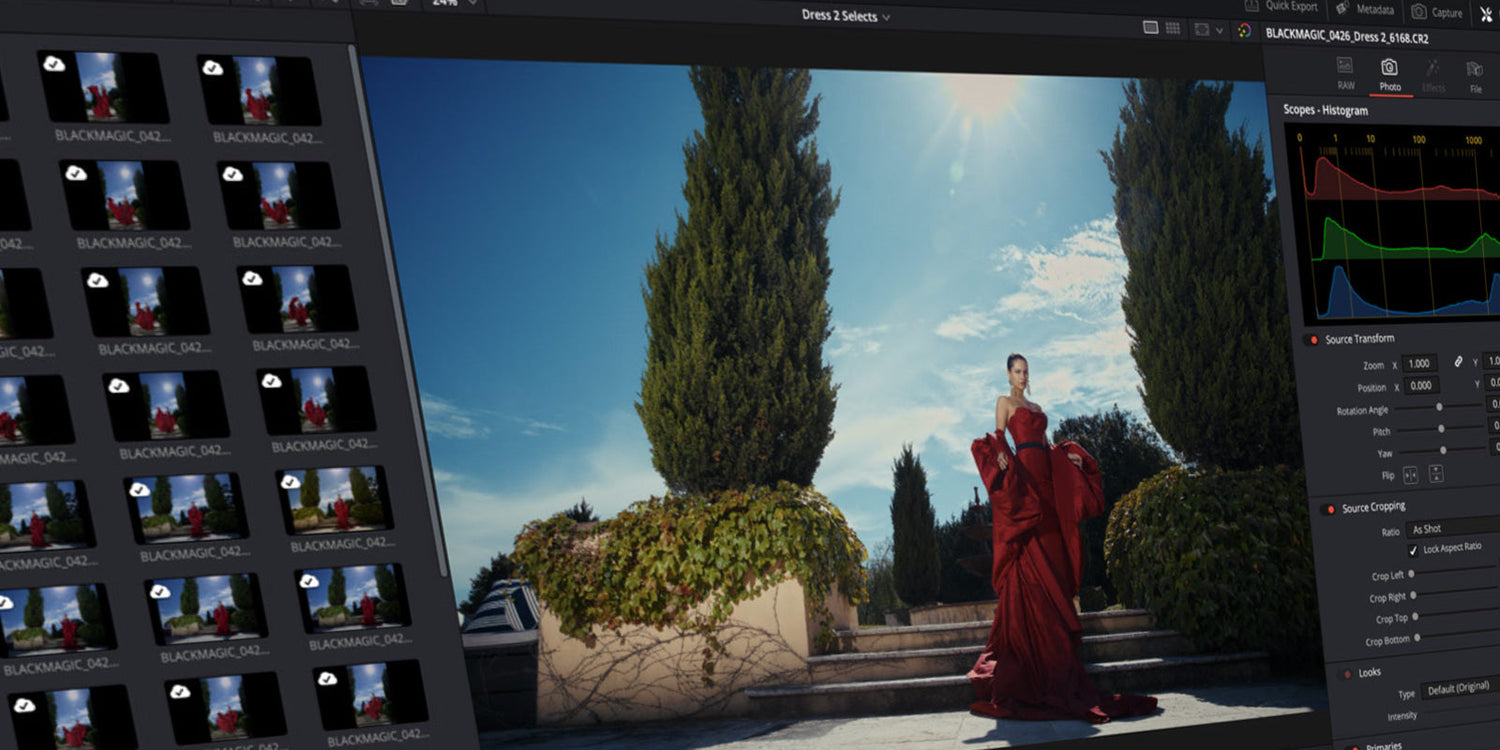
The Photo page brings DaVinci Resolve's full color grading toolset to still images for the first time. We are talking node-based grading, primary corrections, curves, qualifiers, power windows and AI tools. All applied directly to your photo library.
You can add nodes in series or parallel to build complex grades, apply different corrections to different parts of an image simultaneously and use shared nodes to apply the same look across an entire album at once. That is something Lightroom simply cannot do.
RAW files are supported, and Resolve FX and Open FX plug-ins can be used on still images from the new Photo page. That includes LUT support, AI Magic Mask and the new AI UltraSharpen for upscaling.
A real Lightroom Alternative?
Blackmagic is clearly going after Adobe here. Many creators have already switched from Premiere Pro to DaVinci Resolve and now Blackmagic is going after Lightroom and Photoshop too.
The app also supports importing Lightroom catalogs, so switching over is not starting from zero. And the free version of Resolve 21 includes the core Photo page features.
For filmmakers who already live inside DaVinci Resolve, the idea of handling both photo and video color grading in one place is genuinely exciting.
EMUL8 works on the Photo Page too?
Here is something worth knowing. Resolve FX, Open FX and even DCTL support is available for still images on the Photo page. That means EMUL8, our film emulation plugin for DaVinci Resolve, will work directly on photos as well.
Think about what that means. You can apply a full cinematic film look including film grain, halation and bloom directly onto your still images inside DaVinci Resolve. That is something that is simply not possible in Lightroom right now. No third-party plugin for Lightroom comes close to what a proper film emulation with optical effects can do to a photo.
For hybrid shooters who want a consistent look across their video and photo work, this is a massive workflow upgrade. One tool. One plugin. Same film look on everything.
When can you try it?
The public beta of DaVinci Resolve 21 is available now as a free download from the Blackmagic Design website. It will also be demonstrated at the Blackmagic Design NAB 2026 booth.
Download the beta, install EMUL8 and try applying a film look to your photos. We are excited to see where this goes 🤙🏼