



Better Round Corners for Final Cut Pro
Final Cut Pro 12 or later · macOS 15.6 or later · Apple silicon and Intel
Add rounded corners to any clip. One effect, no masks.
Final Cut Pro has no simple way to round the corners of a clip. Shape Mask gives you uneven corners, because its curve depends on the width and height of the clip. Final Cut Pro's own Crop cuts rounded corners off. And PiP comes with its own scaling and layout when all you want is a rounded clip.
Better Round Corners is a free Final Cut Pro plugin that fixes all of that. Drop it on a screen recording, a screenshot, a face cam or a phone video and set the radius in pixels. Every corner comes out exactly the same size, whatever the aspect ratio. Vertical, cropped, scaled or keyframed.
Better Round Corners features:
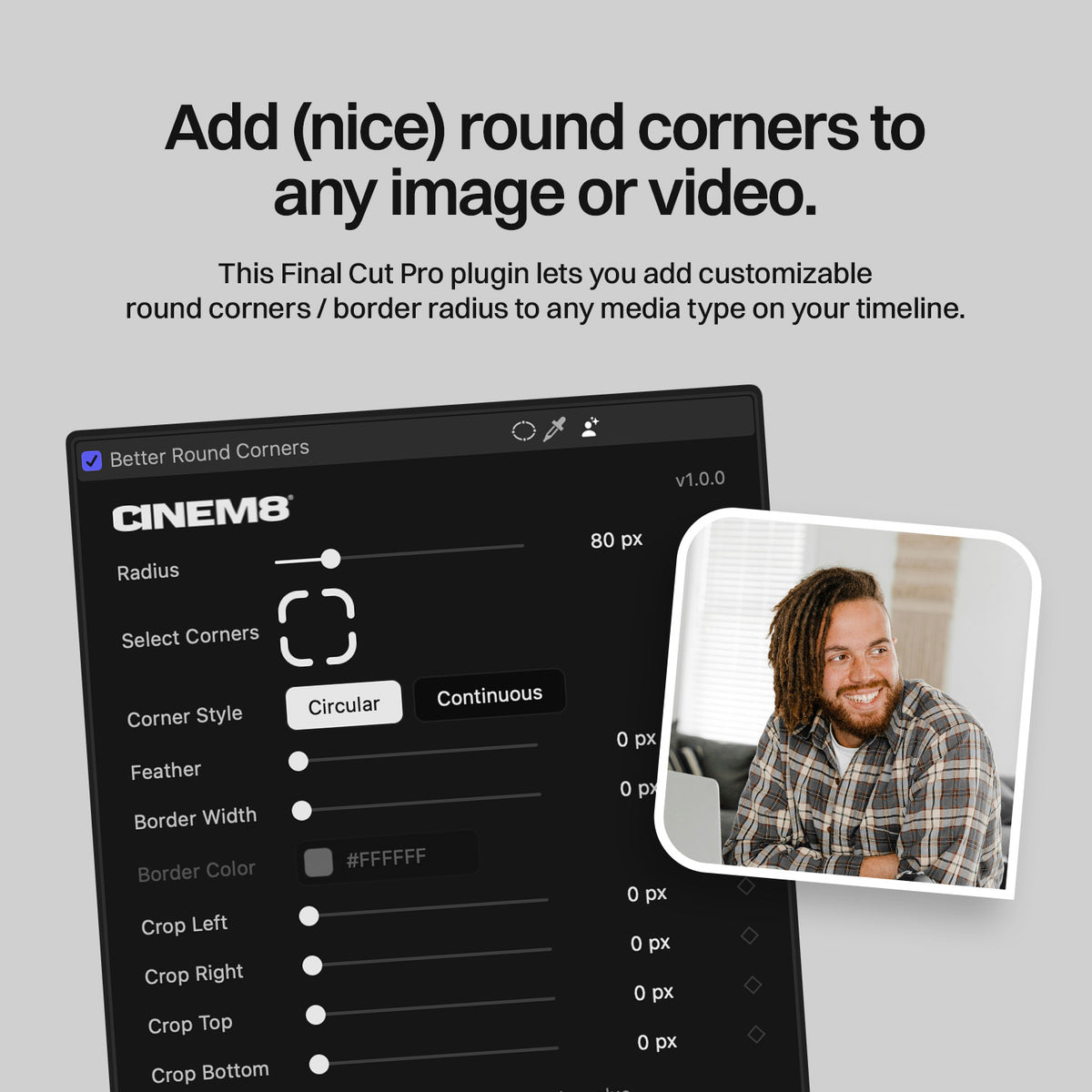
- Add even corners with a radius in pixels
- Works on images & videos for all aspect ratios
- Select Corners to round any corner on its own
- Circular or Continuous (Apple-style) corners
- Feather for a soft edge
- Border with color picker, hex code and eyedropper
- Built-in Crop that keeps the corners
- Keyframes on radius, feather, border width and crop
Compatibility
| Final Cut Pro | FCP 12 or later (App Store and Apple Creator Studio) |
|---|---|
| macOS | 15.6 or later |
| Mac | Apple silicon and Intel |
| Plugin type | Native FxPlug 4 effect (GPU, Metal) |
| In Final Cut Pro | Effects browser > CINEM8 > Better Round Corners |
| Price | Free with the CINEM8 newsletter |
Final Cut Pro for iPad is not supported, because Apple does not support FxPlug plugins on iPad.
THE PROBLEM
Why Shape Mask corners look uneven
Shape Mask bends the whole mask with one Curvature value. So the size of each corner depends on the width and height of your clip. Top and bottom never match left and right, and the mask does not follow the clip when you move it.
Better Round Corners works in pixels. 80 px means 80 px on every corner, on every clip.
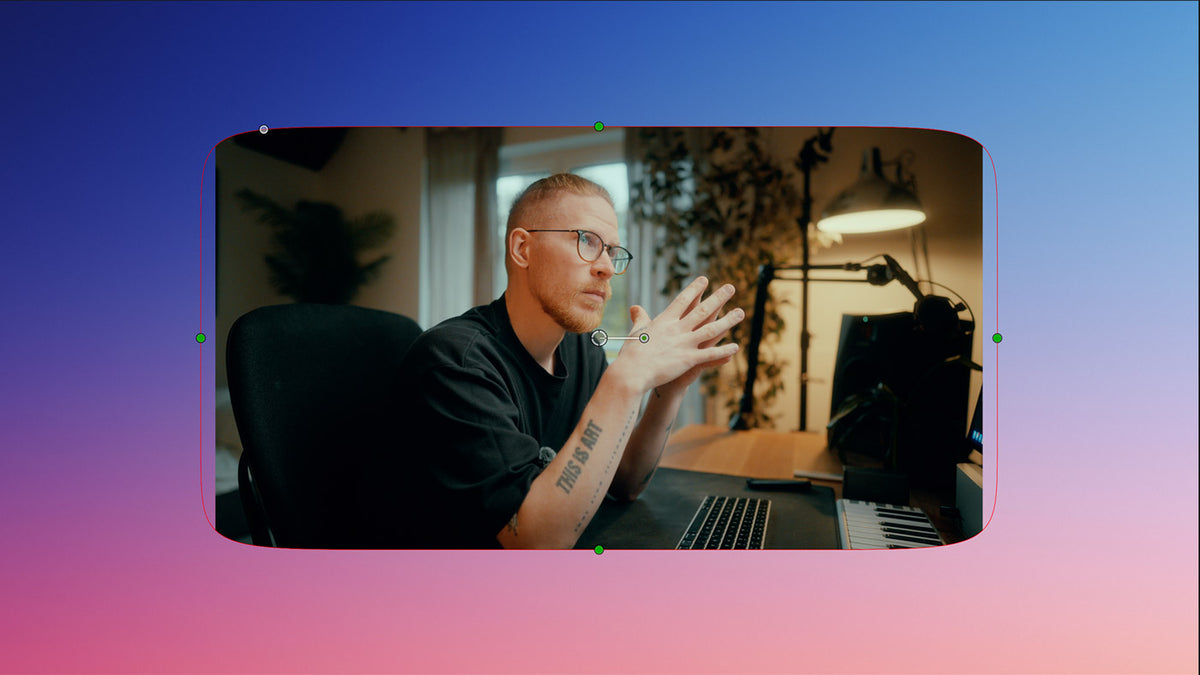
Shape Mask
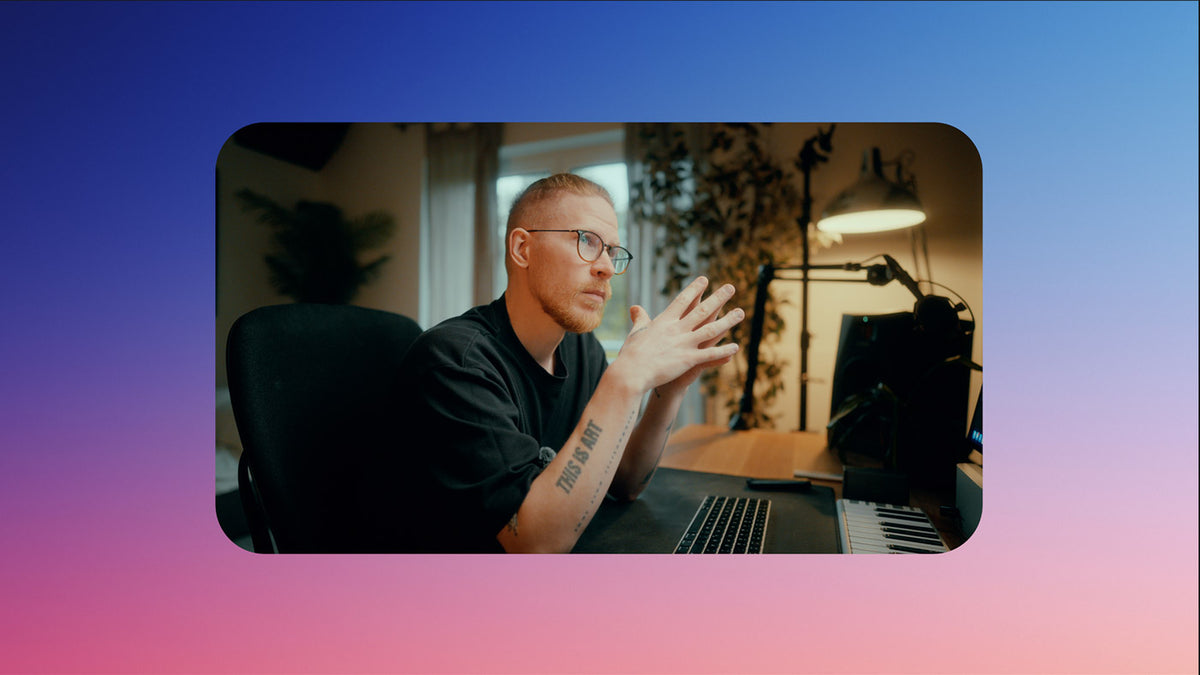
Better Round Corners
FEATURES
Everything your corners need
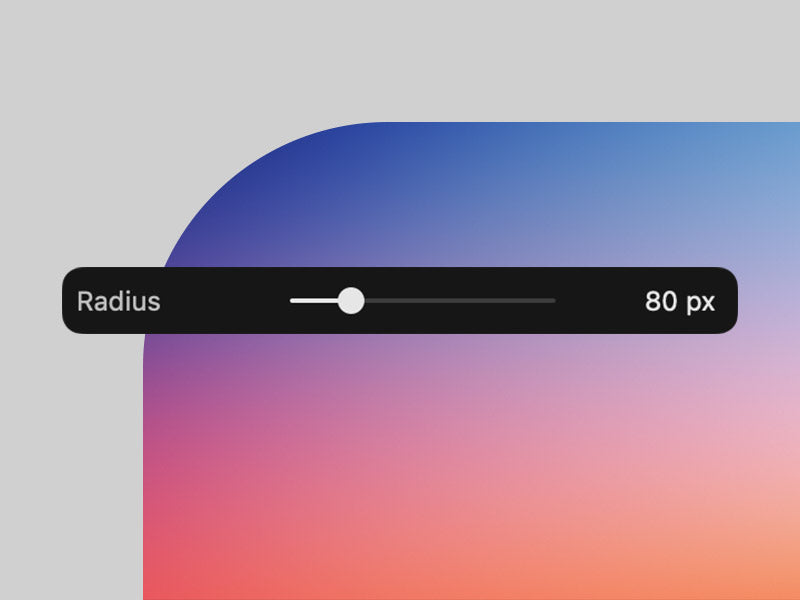
Even corners in pixels
Set the radius from 0 to 400 px with the slider or type any value up to 10,000 px. Every corner gets exactly the same size. Turn it all the way up for a pill or a circle.
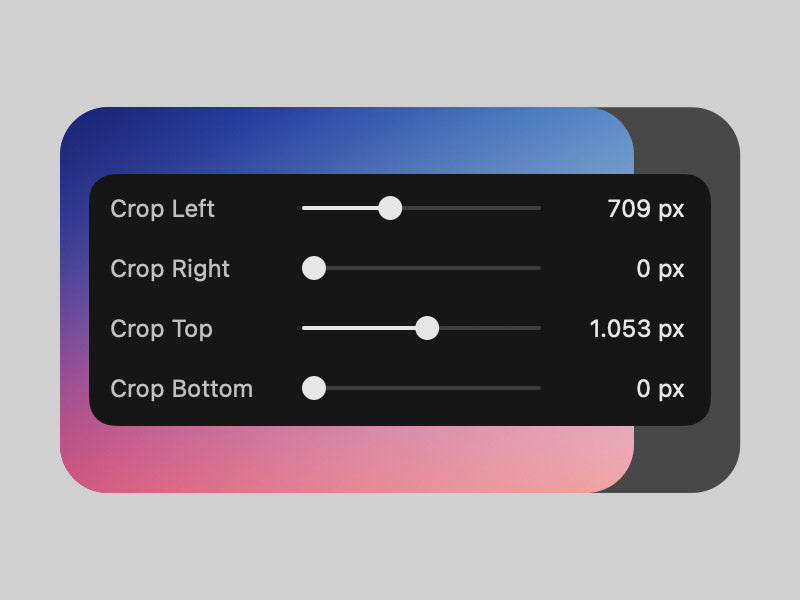
Crop that keeps the corners
Final Cut Pro's own Crop cuts rounded corners off. The built-in Crop works the other way round. It crops first and rounds after, so your corners survive. Left, right, top and bottom.
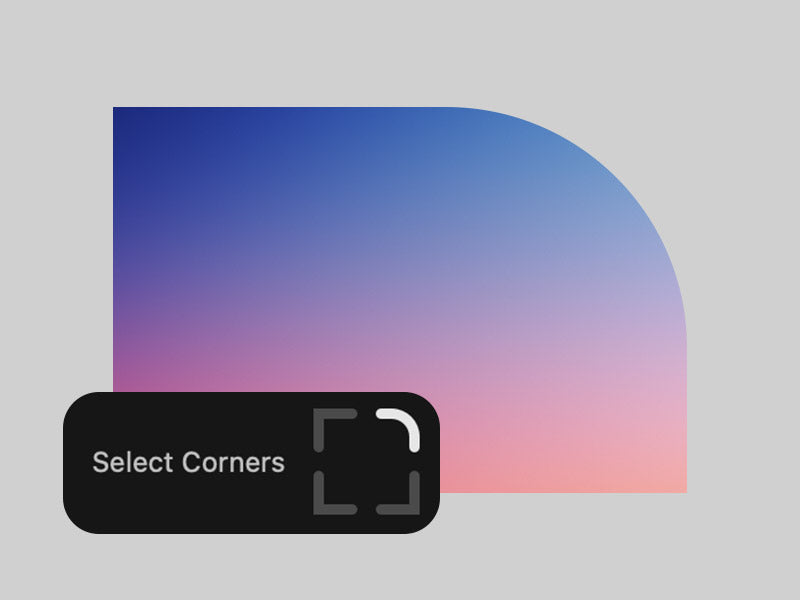
Select Corners
Switch each corner on or off in a visual selector. Round only the top, only one side or a single corner.
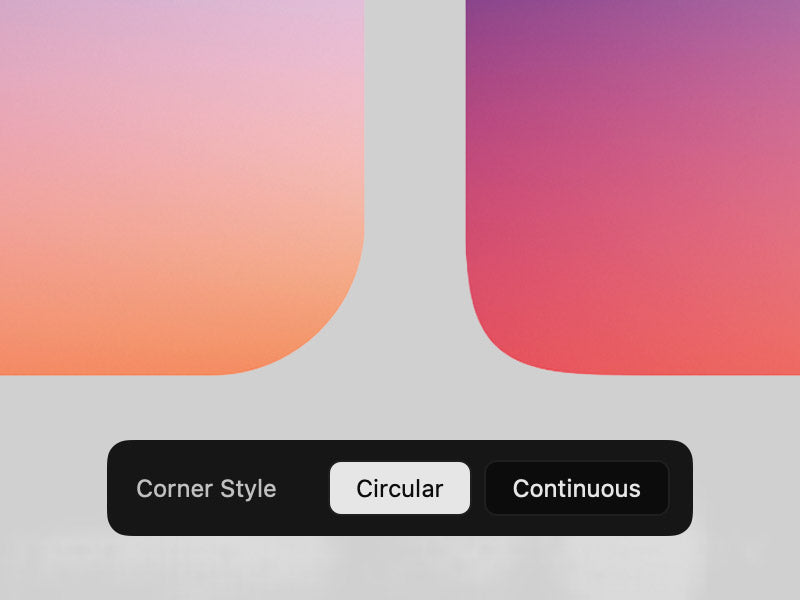
Circular or Continuous
Choose Circular for the classic look or Continuous for Apple's smooth corners, like iOS app icons and macOS windows.
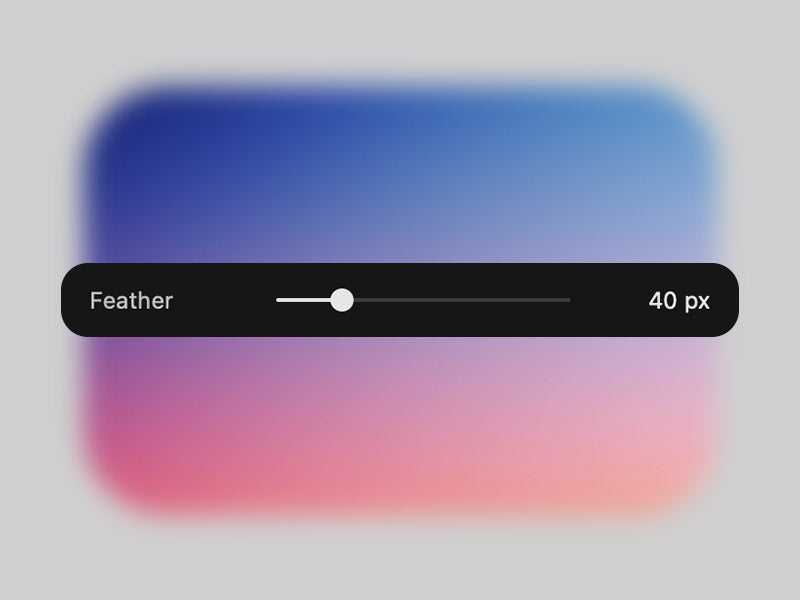
Feather
Soften the edge from 0 to 200 px. The fade stays round in the corners.
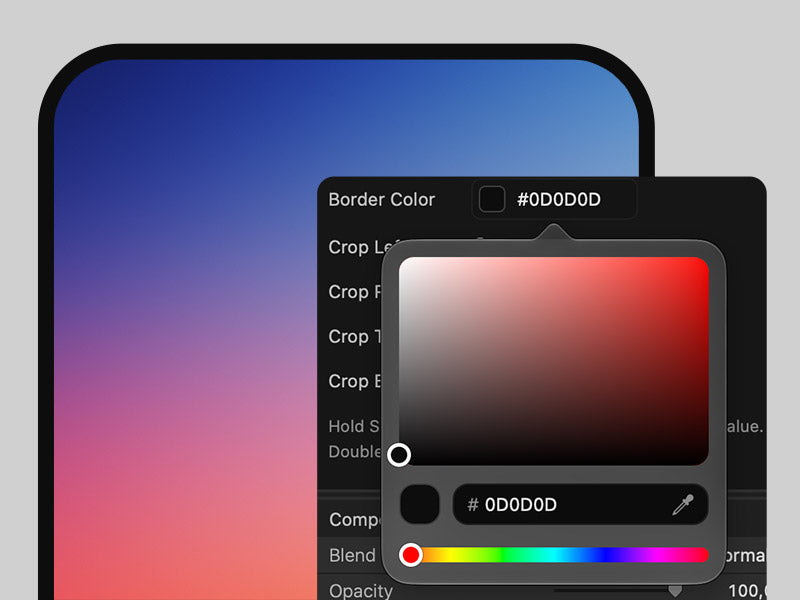
Border
Add a border inside the clip, 0 to 100 px on the slider. Pick the color with the color area, the hue slider, a hex code or the eyedropper.
HOW IT WORKS
How to round corners in Final Cut Pro
1. Install
Close Final Cut Pro and run the Better Round Corners installer. It takes just a few seconds.
2. Drag the effect
Open the Effects browser, search for "Better Round Corners" and drag it onto your clip.
3. Set the radius
Pick a radius. Then choose corners, style, add a feather or a border, or crop. All in one inspector.

USE CASES
Made for the edits you actually make
Face cam
Turn your webcam into a circle or a pill for a talking head that sits neatly in the corner.
Screen recordings and screenshots
Give app demos, tutorials and website captures the clean rounded look right inside Final Cut Pro.
Picture in picture
Place a clip with Transform and round it. The corners stay put when you scale or move it.
Better Round Corners vs. Shape Mask and Picture in Picture
Final Cut Pro has two built-in ways to round a clip. Here is how they compare, together with the free Motion templates.
| Better Round Corners | Shape Mask | Picture in Picture | Free templates | |
|---|---|---|---|---|
| Even corners, exact px radius | ✓ | Depends on aspect ratio | ✓ | ✓ |
| Fits any clip automatically (9:16, 4:3, scaled) | ✓ | Placed by hand | Own scaling and layout | Sized by hand |
| Continuous (Apple) corners | ✓ | ✗ | ✗ | Not offered |
| Round single corners | ✓ | ✗ | ✗ | Not offered |
| Crop that keeps the corners | ✓ | ✗ | Partly | Not offered |
| Border with color picker | ✓ | ✗ | Outline | Not offered |
| Soft edge | ✓ | Feather | ✗ | Not offered |
| Price | Free | Built in | Built in | Free with email |
Free templates means free Motion templates for rounded corners. Based on their product pages and controls, October 2026.
QUESTIONS
Rounded corners in Final Cut Pro: FAQ
How do I round the corners of a video in Final Cut Pro?
Install Better Round Corners, open the Effects browser, choose the CINEM8 category and drag Better Round Corners onto the clip. Set the radius in pixels. The corners appear right away, evenly on all four sides.
Why are the corners of the Shape Mask uneven in Final Cut Pro?
Shape Mask uses one Curvature value for the whole mask. How round a corner looks then depends on the width and height of the clip, so wide clips get stretched, lopsided corners. Better Round Corners sets the radius in pixels, so every corner has the same size.
Is there a free rounded corners plugin for Final Cut Pro?
Yes. Better Round Corners is free. Enter your email, confirm it, and the download link arrives in your inbox.
How do I round the corners of an image or screenshot in Final Cut Pro?
Put the image on the timeline and drag Better Round Corners onto it, just like a video. The corners sit on the image itself, even when it is 4:3 or portrait inside a 16:9 project.
Does it work with vertical 9:16 or 4:3 clips in a 16:9 project?
Yes. The corners sit on the actual image, not on the empty bars around it.
Do the corners stay correct when I scale or zoom the clip with Transform or keyframes?
Yes. Scale or move the clip with Final Cut Pro's Transform, also with keyframes, and the corners stay on the clip.
How do I crop a clip without losing the rounded corners?
Use the Crop controls inside Better Round Corners instead of Final Cut Pro's own Crop. Final Cut Pro applies effects before its own Crop, so that Crop cuts the corners off. The built-in Crop crops first and rounds after.
How do I add a border around a cropped or scaled video?
Set Border Width and pick a Border Color. The border sits inside the clip and follows the rounded corners, also after cropping with the built-in Crop or scaling with Transform.
Can I round only some corners, for example only the top?
Yes. Select Corners switches each corner on or off, for example only the top two.
How do I make a circle or pill-shaped video, for example a face cam?
Turn the radius all the way up. A wide clip becomes a pill. Crop it to a square with the built-in Crop first and it becomes a circle.
What is the difference between Circular and Continuous corners?
Circular is the classic rounded corner, like rounded corners on the web. Continuous is the smoother curve Apple uses for iOS app icons and macOS windows. It blends into the straight edge more softly.
How do I feather or soften the edges?
Raise Feather, from 0 to 200 px. The edge fades out softly and stays round in the corners. Feather and Border work one at a time. The one not in use is greyed out.
Is this better than Final Cut Pro's Picture in Picture effect?
They do different jobs. Picture in Picture is a layout effect with its own scaling, position and many extra settings. Better Round Corners only rounds the clip and leaves positioning to Transform. On top it gives you single corners, Continuous corners, a border with color picker and a crop that keeps the corners.
Which Final Cut Pro and macOS versions are supported? Apple silicon and Intel?
Final Cut Pro 12 or later and macOS 15.6 or later, on Apple silicon and Intel Macs. Final Cut Pro for iPad is not supported, because Apple does not support FxPlug plugins on iPad.
Where does the effect appear in Final Cut Pro, and how do I install it?
Close Final Cut Pro and run the installer. Then you find the effect in the Effects browser under CINEM8 > Better Round Corners.
Is it really free, and why do you ask for my email?
Yes, it is free. You get it together with the CINEM8 newsletter: tips, new tools and offers for creators. You can unsubscribe anytime with one click.
FREE DOWNLOAD
Get Better Round Corners for free
Enter your email, confirm it, and the download is in your inbox a minute later.
Want your footage to look like film too? Meet EMUL8, our film emulation plugin for Final Cut Pro.